
Care access / October–December 2026
The record changes.
Your routes to care
change on different days.
A service-by-service atlas for Cleveland VA’s October 24 transition. Find the date, follow the task, keep the contact.
Editorial credit: Donna Fuscaldo, Editor at Clayso
Prepared with AI-assisted research and drafting from the official sources cited below
01 / Service atlas
One date. Four different answers.
The October 24 launch is not a single off–on switch. Choose a date and follow one service across the calendar. The tinted pause windows use elapsed calendar time; the vertical marks share the selected day.
Make an appointment · Planned return: December 8, 2026.
Published plan only. Source checked October 2, 2026. The cutoff date is deliberately treated as a boundary: VA’s wording is “midnight ET on” that date. This atlas does not invent an exact minute, and return dates have no reopening hour specified. VA’s Cleveland transition timetable.
Permanent timetable, with no interaction required
| Online service | Published cutoff | Planned return |
|---|---|---|
| Make an appointment | midnight ET on Sep 23, 2026 | Dec 8, 2026 |
| Cancel an appointment | midnight ET on Oct 14, 2026 | Nov 3, 2026 |
| Messages / renewals | midnight ET on Oct 17, 2026 | Oct 26, 2026 |
| Active-prescription refill | midnight ET on Oct 20, 2026 | Oct 26, 2026 |
Cleveland VA’s move to the Federal Electronic Health Record is scheduled for October 24, 2026, but some changes to online access start earlier and end later. Online appointment scheduling has already paused under VA’s published timetable. Secure messages, prescription renewals and prescription refills have different October cutoffs. If you receive care at the Louis Stokes Cleveland VA Medical Center or its associated clinics, check the service you need rather than treating the go-live date as the beginning and end of one outage. VA’s Cleveland transition instructions
The immediate practical point is that care continues while some online functions pause. Contact your clinic or pharmacy when you need help; do not wait for a website to reopen if your care or medication supply cannot wait. This guide explains access routes and the published schedule, not treatment decisions. For a medical emergency, call 911 or go to the nearest emergency department. VA’s guidance on urgent needs and online messages
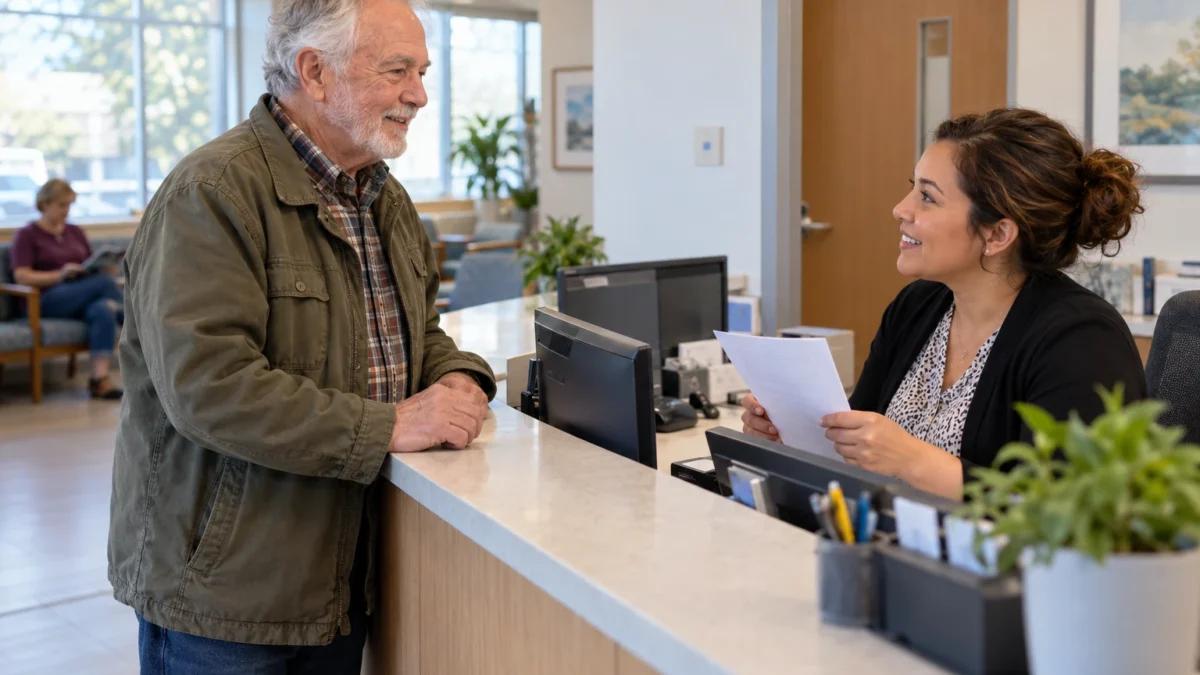
Featured image: AI-generated photorealistic illustration of a patient confirming an appointment at a generic clinic reception desk. The people, setting and records are fictional; this is not a photograph of an actual case or official agency facility.
Start with your facility, then the task you need to complete
VA’s current transition page has separate sections for Alaska, Cleveland, Indiana and other locations. Cleveland’s section names the Louis Stokes Cleveland medical center and all its clinics. It gives October 24 as the system’s launch date and explains that patients will continue using My HealtheVet on VA.gov and the VA: Health and Benefits mobile app. The change does not require switching to a newly invented patient website found through an advertisement or a message from an unknown sender. Facility-specific guidance
A veteran who has appointments in two VA systems should check each location separately. A friend’s experience in Indiana, or an older instruction sheet from a Michigan rollout, may describe different dates. Even on the same official page, the heading above the instructions matters. Write down the clinic handling the appointment or prescription before looking for a route to contact it. That small distinction prevents a broad phrase such as “the VA system is changing” from obscuring the office that can actually answer your question.
The wider EHR rollout has attracted renewed scrutiny, including September 28 reporting by Navy Times about congressional questions. Those headlines explain why people are paying attention, but they do not tell an individual patient whether an appointment has changed or a refill request was received. For those questions, the useful evidence is the current facility instruction, the actual appointment record and a response from the care team. September coverage of the rollout
If you use the same VA app for healthcare and benefits, keep separate correspondence separate. Cleveland’s transition instructions concern the named health services; they do not give you a new disability rating, decide a compensation claim or replace instructions in a benefit decision letter. Nor does a planned health-tool pause tell you whether an unrelated online service is working. A veteran can have an appointment question and a benefits question at the same time, with different offices responsible for answering them. Name the task when seeking help so an explanation about clinical scheduling is not mistaken for an answer about the other record.
Scheduling and canceling appointments have different return dates
VA lists the cutoff for Cleveland online appointment scheduling as midnight Eastern time on September 23, 2026, with online scheduling returning December 8. That first date is already past as of this article’s October 2 check. Online cancellation remains a separate function: its published cutoff is midnight Eastern time on October 14, with return scheduled for November 3. The difference matters if you can still see or cancel an existing appointment but cannot use the online tool to arrange a new one. Published appointment timetable
A pause in online scheduling does not itself cancel an appointment already on the calendar. VA says a care team may need to reschedule some visits and will contact affected patients. Keep the date, time, location and clinic name from your confirmation, and ask the clinic to resolve any mismatch you notice. A blank search result for new appointments is different from a message changing a booked visit. Neither should be used as a substitute for confirming the actual appointment you plan to attend.
The Northeast Ohio appointment page lists 216-791-3800, select 2, or 877-838-8262, select 2, for its primary-care call center. The same page lists those numbers for Cleveland appointment changes. For an outpatient-clinic appointment, it directs patients to the clinic where the appointment was scheduled. Explain whether you need to make, cancel or reschedule a visit. These are related tasks, but starting with the right one helps the person answering find the correct record and route. Local appointment contacts
Keep a rescheduled visit connected to the care it supports
VA warns that appointment availability may be limited in the weeks around the transition while staff train and learn the system. It asks patients to keep contacting their healthcare teams about care needs. Its Cleveland instructions say that if the team needs to reschedule an appointment, it will make sure needed prescriptions are renewed or refilled. If a changed visit leaves you uncertain about medication, testing or follow-up, raise that specific concern with the team rather than assuming the new appointment date answers it.
Consider a fictional patient whose visit moves from late October to a later date. The calendar change is only one part of the conversation. They can ask which clinician will answer a question that cannot wait, whether an already planned test still has the same date, and whom to contact about a prescription before the replacement appointment. These are coordination questions for the healthcare team. The article cannot decide which tests or medicines are needed, and the timetable cannot assess the urgency of that patient’s symptoms.
If you cannot attend an appointment, call the clinic as soon as possible instead of waiting for online cancellation to return. The local appointment page also says its text-message reminder service cannot be used to cancel or reschedule. A reply to a reminder may feel like completing the task, but it is important to use a route that the clinic actually accepts. Ask for confirmation that the intended change was recorded, especially if transport or a caregiver’s schedule depends on it. Cancellation and reminder instructions
02 / The prescription underneath the button
Same need for another supply.
Different kind of request.
These layers are a conceptual illustration, not a medical record. They separate the supply request from the prescription that authorizes it. No medicine name, dose or personal health information belongs here.
A refill asks for the next supply under an active prescription with refills remaining. A renewal may need a new prescription and follows the earlier secure-message cutoff. Ask the pharmacy if the status is unclear.
Selecting a known request type also selects its service in the atlas and contact note. “Not sure” does not infer a prescription status. Use Flat view above to remove the layered perspective.
- Prescription: what authorizes the supply
- Request: which contact route fits
- Confirmation: what actually happened next
A request is not confirmation of processing, dispensing or delivery. VA’s Cleveland transition timetable explains the distinction.
A prescription refill and a renewal follow different online routes
VA uses “refill” for another supply of an active prescription that still has refills remaining. A “renewal” is needed when there are no refills left or the prescription has recently expired, so a new prescription may be required. The distinction affects the transition schedule because an online renewal request is sent through secure messaging. A patient who simply says “I need more medicine” may be describing either situation. Check the prescription information and ask the pharmacy if the status is unclear. VA’s refill and renewal definitions
For Cleveland, the published secure-message and renewal cutoff is midnight Eastern time on October 17. Online refill requests have a later cutoff, midnight Eastern time on October 20. Both functions are scheduled to return October 26. A working refill button between those dates would not mean that the secure-message renewal route is also available. Likewise, a prescription with no refills left cannot be treated as an ordinary refill simply because that route stays open longer.
VA says active prescriptions will transfer automatically into the new system. That statement explains part of the migration; it does not tell you that a particular order has been reviewed, dispensed or delivered. If you have already requested a refill, keep track of the request through the pharmacy’s normal process. If the screen is unclear, describe the medicine and request through the official pharmacy channel, not in a public comment or a screenshot shared with strangers.
Plan around your actual supply, with the pharmacy’s help
Review your prescription needs before the online cutoffs arrive. The right lead time depends on the prescription and the pharmacy’s instructions, so ask about anything likely to run short during the transition. An October 26 online return date is not a delivery promise. A request may still need processing and mailing after it is made. Tell the pharmacy if the supply you have will not last through the expected process, and ask what it advises for your situation.
Do not change a dose, stretch a supply, stop a medicine or borrow someone else’s medicine because an online tool is unavailable. Those are clinical decisions to discuss with a qualified care professional. A useful call identifies the practical problem: whether you have refills remaining, whether a request is already pending and when you expect to need the next supply. Keep personal prescription details within the verified healthcare channel. The service timetable in this guide needs none of them.
The local pharmacy page gives 800-379-8387 as the automated refill line. It also lists Cleveland pharmacy support through 216-791-3800, with published support hours of Monday through Friday, 8 a.m. to 6 p.m. Eastern time. Use the live official page to confirm the route for your pharmacy. An automated refill service and a person who can discuss a prescription problem are different resources; a recorded confirmation from one is not necessarily an answer from the other. Northeast Ohio pharmacy contacts
Phone and mail remain useful, but avoid an unnecessary walk-in
VA’s transition instructions say patients can request refills and renewals at an appointment, by mailing a refill slip or by calling their facility’s pharmacy during the online pause. Follow the instructions that apply to the request you need. A refill slip is not a universal substitute for a clinician’s decision about a renewal. If you are unsure which route fits, call the pharmacy and explain the prescription’s status before relying on a method that may not complete the task.
There is an important local qualification. Northeast Ohio’s pharmacy page asks patients not to walk in for routine refills, so pharmacists can focus on urgent needs and new prescriptions. It lists routine refills online, by phone or by mail, while new orders can be picked up at its pharmacies. Discussing a request during an appointment you already have is different from making an unplanned trip to the pharmacy expecting an immediate refill. Check before traveling, particularly if you need transport assistance. Local refill and pickup instructions
For a mailed refill, use the request form and address supplied with the prescription. VA’s local instructions tell patients to mail that form back; they also say not to drop it off when collecting a new prescription. Keep the relevant mailing instruction with the form rather than using an address from an unrelated VA benefit letter. If you need a near-term answer about supply or delivery, contact the pharmacy instead of assuming that putting a form in the mail resolves the immediate question.
Secure messaging is for questions that can wait for a reply
Even when the portal is operating normally, secure messages are intended for non-urgent, non-emergency communication. VA says the healthcare team should respond within three business days, with business days defined as Monday through Friday, 8 a.m. to 5 p.m., excluding federal holidays. That is a service expectation, not a guarantee that a message sent shortly before the transition cutoff will receive a completed response before the pause. Use a direct care route when the issue cannot wait. Secure-message limits
A short, focused message can help the team understand a routine question: identify the relevant appointment or prescription and explain what you need clarified. The person who replies may be another member of the healthcare team rather than the clinician whose name you selected. VA also explains that a conversation can be reassigned to the team best placed to answer it. If a response says someone will follow up, distinguish that acknowledgment from the final answer you were waiting for.
Once Cleveland’s secure-message cutoff passes, use the facility’s phone route for questions that would otherwise have gone through that tool. If you are unsure what type of care you need, VA’s national messaging guidance directs you to the nearest VA health facility. For a medical emergency, call 911 or go to the nearest emergency department. A technical outage should never be used as a reason to postpone emergency care. The published reopening schedule is administrative information, not a medical triage tool.
Check the mailing address used for medicines and letters
The new record system also changes how temporary addresses are handled. VA says it can hold a residential address and a mailing address, but it can no longer keep the old-style temporary address with start and stop dates. Someone who spends part of the year elsewhere needs to change the mailing address for that period and change it back afterward. If you receive prescriptions by mail, make sure the pharmacy knows the correct destination. Address changes after the transition
VA lists several ways to make the change: the contact-information section of your VA.gov profile, the mobile app, or contact with the health facility by phone or in person. Explain whether the place you live and the place you receive mail are different. Do not assume that updating a shipping address with a private retailer, or arranging postal forwarding, updates the pharmacy’s record. If you are moving during the transition, ask where an order already in progress is expected to go.
A caregiver can help organize the dates and questions while leaving private account access with the patient or using an approved assistance arrangement. There is no need to send a full medical record or prescription-label photograph to a public forum to ask which telephone number to call. VA’s own messaging guidance warns that printed or downloaded information needs protection outside the portal. Keep a useful paper note somewhere private and share health details only with the intended, verified care team.
03 / Staggered return
October 26 is not an all-clear.
Read across the same day rather than down a single service. These comparison dates also move the atlas cursor and update your contact note.
October 2, 2026
Planned returns do not confirm a live tool or individual request. On October 26, messaging/renewals and refills are due back; cancellation waits until November 3 and scheduling until December 8.
After October 26, some functions will still be waiting to return
The date most likely to be mistaken for an all-clear is October 26. VA plans to restore Cleveland secure messages, renewals and refills then, but online appointment cancellation is scheduled for November 3 and online scheduling for December 8. Continue using the appropriate phone route for the functions that remain paused. If the actual service differs from the published plan, follow the current VA message and contact the relevant office; this article does not monitor live system availability.
Care-team names may look different after the change. VA says it plans to send a secure message with Cleveland’s new team names on October 26. Appointment letters and after-visit summaries may also have a different appearance, and appointments may take longer while staff become familiar with the system. Read the content of a new-looking document rather than treating its design as evidence that the visit changed. If a team name is unclear, ask the facility to identify the right recipient before sending sensitive information.
When reviewing records after a system change, take a specific discrepancy to the healthcare team or medical-records office. An unexpected medication entry, missing document or conflicting appointment time deserves clarification on its own merits. Avoid correcting a medication list by changing what you take without clinical advice. The Northeast Ohio contact page provides a route to its Release of Information office for record requests and an operator who can direct other questions. Local records and service contacts
Leave each contact with a clear next step
If an access or care problem remains unresolved after you speak with the healthcare team, Northeast Ohio’s patient advocates are available to help address it. Explain the problem, the office you contacted and what is still missing. A dated summary is more useful than a general statement that the new system is not working. Advocacy is a route for resolving concerns; it does not guarantee an appointment, prescription or particular clinical decision. Patient Experience and advocacy
Before ending a call, make sure you understand what happens next and whom to contact if it does not happen. You might be waiting for a confirmed appointment, a pharmacy review or an answer from another team. Keep that next step beside the relevant date and service, rather than relying on the general October 24 launch announcement. The transition is easier to navigate when each practical need has a known route, and when a paused online button does not become a barrier between you and the people providing your care.
04 / From a date to a next step
Keep a human route beside the online one.
Your selected task
Make an appointment
October 2, 2026
Planned pause: use direct contact.
Official My HealtheVet entryCall the clinic; Cleveland primary care, select 2.
Verify the official contactWhat remains unknown
Receipt ≠ completion
No actual appointment or request has been checked.
Ask: Was it received? What happens next? Who should I contact if it does not happen?
Use the direct contact route
Use the official VA health management page when the service is available. A published return date does not verify a request.
Appointments
Call your own clinic. Cleveland primary care and appointment changes: 216-791-3800 or 877-838-8262, select 2. Mental health: extension 61035. Official appointment contacts.
Pharmacy
Automated refill line: 800-379-8387. Cleveland pharmacy support: 216-791-3800, Monday–Friday, 8 a.m.–6 p.m. ET. Mail the supplied refill form to its printed address. Ask about renewals; do not make an unnecessary routine-refill walk-in. Official pharmacy instructions.
October 2, 2026 · Cleveland facilities only
Make an appointment
Unavailable online under the plan
Call the clinic. Cleveland primary care: 216-791-3800 or 877-838-8262, select 2.
Next published change: return on December 8, 2026.
- Name the clinic and the task when you contact VA.
- Ask whether the intended request was received.
- Confirm the next step, who owns it and when to check back.
- If a visit changes, ask the care team about connected prescription and follow-up needs.
Choices stay in this open page. This interaction sends no data and uses no storage. Copy writes only the visible note to your clipboard when selected. Other website features have separate privacy practices.
Sources and scope
This independent guide explains the published Cleveland VA service-access timetable. It is not medical advice, a live service monitor, a prescription request or a benefits decision. Contact your care team or pharmacy about your own care. For a medical emergency, call 911 or go to the nearest emergency department.
- VA’s facility-specific transition instructions
- Northeast Ohio appointment contacts
- Northeast Ohio pharmacy guidance
- VA secure-message guidance
Source check: October 2, 2026. The article’s interaction requests no personal information and uses no network calls or storage; site-wide privacy practices are separate. Official services and instructions can change.